adafruit_circuitplayground.express
CircuitPython driver from CircuitPlayground Express.
- Author(s): Kattni Rembor, Scott Shawcroft
-
class
adafruit_circuitplayground.express.Express[source]¶ Represents a single CircuitPlayground Express. Do not use more than one at a time.
-
acceleration¶ Obtain data from the x, y and z axes.
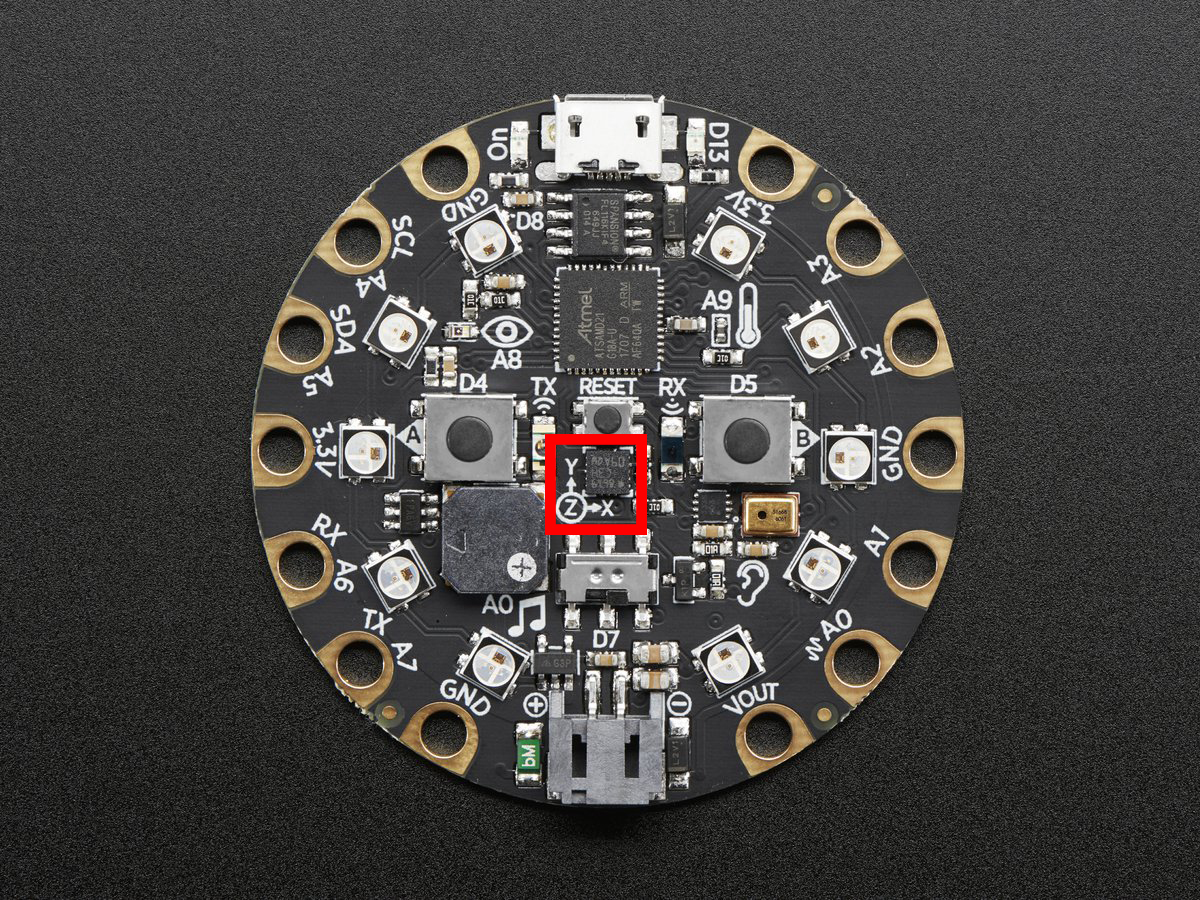
This example prints the values. Try moving the board to see how the printed values change.
from adafruit_circuitplayground.express import cpx

while True:
    x, y, z = cpx.acceleration
    print(x, y, z)
-
adjust_touch_threshold(adjustment)[source]¶ Adjust the threshold needed to activate the capacitive touch pads. Higher numbers make the touch pads less sensitive.
Parameters: adjustment (int) – The desired threshold increase 
from adafruit_circuitplayground.express import cpx

cpx.adjust_touch_threshold(200)

while True:
    if cpx.touch_A1:
        print('Touched pad A1')
Truewhen Button A is pressed.Falseif not.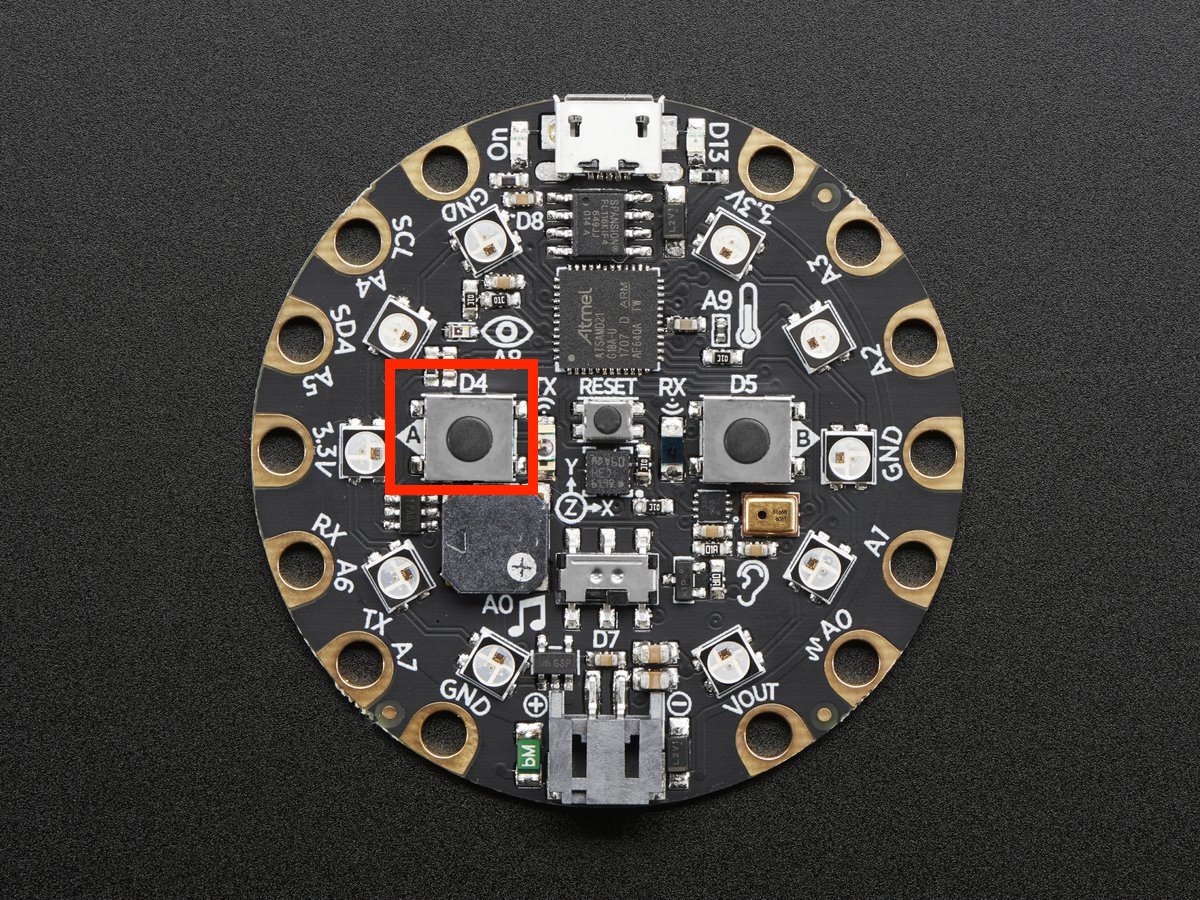
from adafruit_circuitplayground.express import cpx

while True:
    if cpx.button_a:
        print("Button A pressed!")
Truewhen Button B is pressed.Falseif not.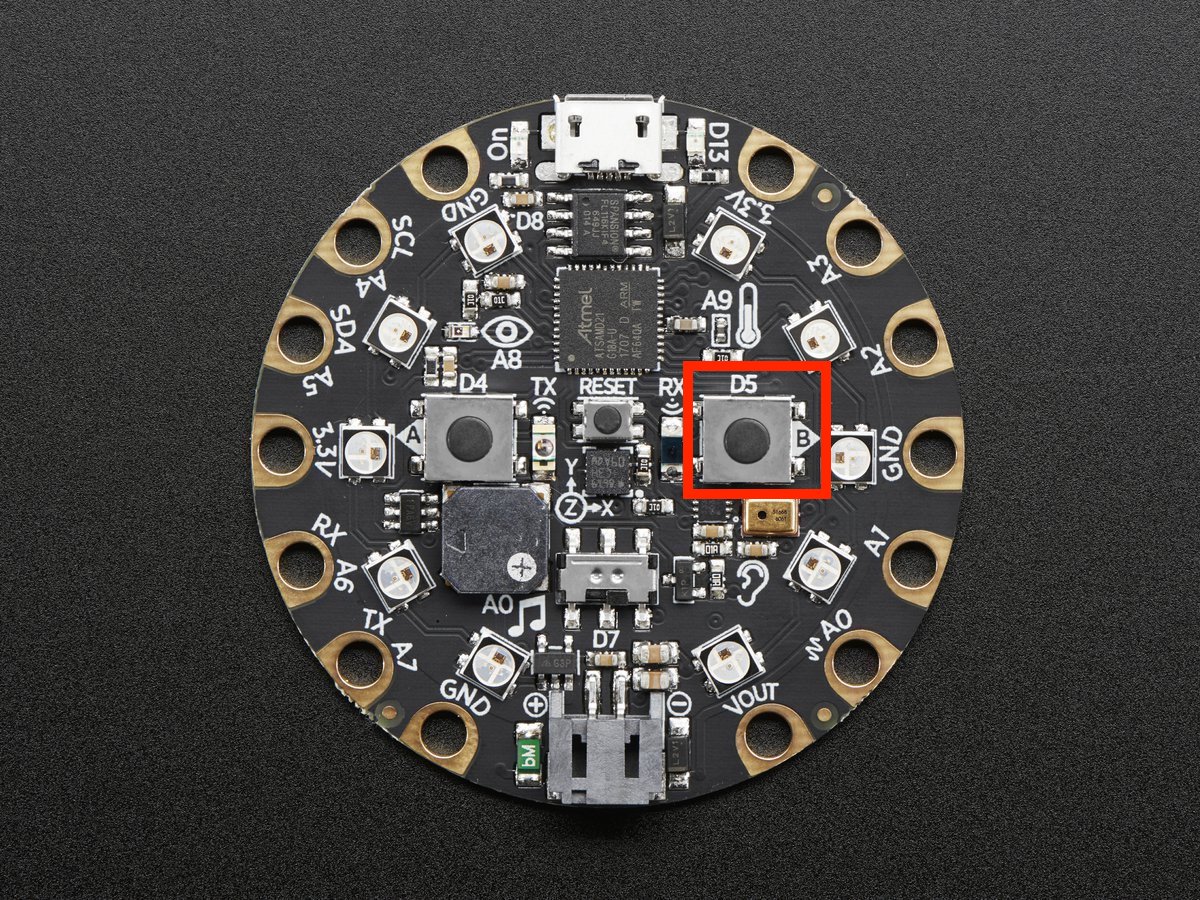
from adafruit_circuitplayground.express import cpx

while True:
    if cpx.button_b:
        print("Button B pressed!")
-
detect_taps¶ Configure what type of tap is detected by
cpx.tapped. Use1for single-tap detection and2for double-tap detection. This does nothing withoutcpx.tapped.
from adafruit_circuitplayground.express import cpx

cpx.detect_taps = 1
while True:
  if cpx.tapped:
    print("Single tap detected!")
-
light¶ The brightness of the CircuitPlayground in approximate Lux.
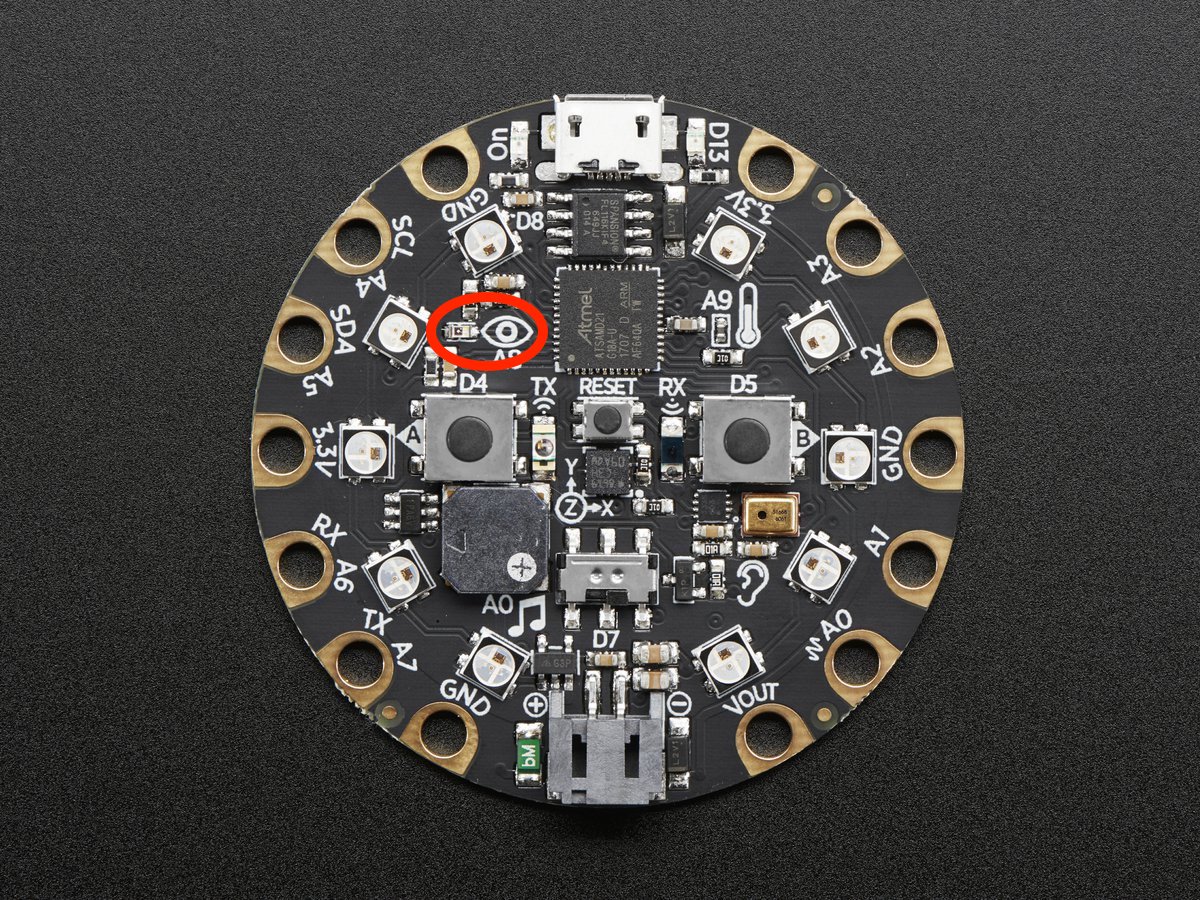
Try covering the sensor next to the eye to see it change.
from adafruit_circuitplayground.express import cpx
import time

while True:
    print("Lux:", cpx.light)
    time.sleep(1)
-
pixels¶ Sequence like object representing the ten NeoPixels around the outside of the CircuitPlayground. Each pixel is at a certain index in the sequence as labeled below. Colors can be RGB hex like 0x110000 for red where each two digits are a color (0xRRGGBB) or a tuple like (17, 0, 0) where (R, G, B). Set the global brightness using any number from 0 to 1 to represent a percentage, i.e. 0.3 sets global brightness to 30%.
See
neopixel.NeoPixelfor more info.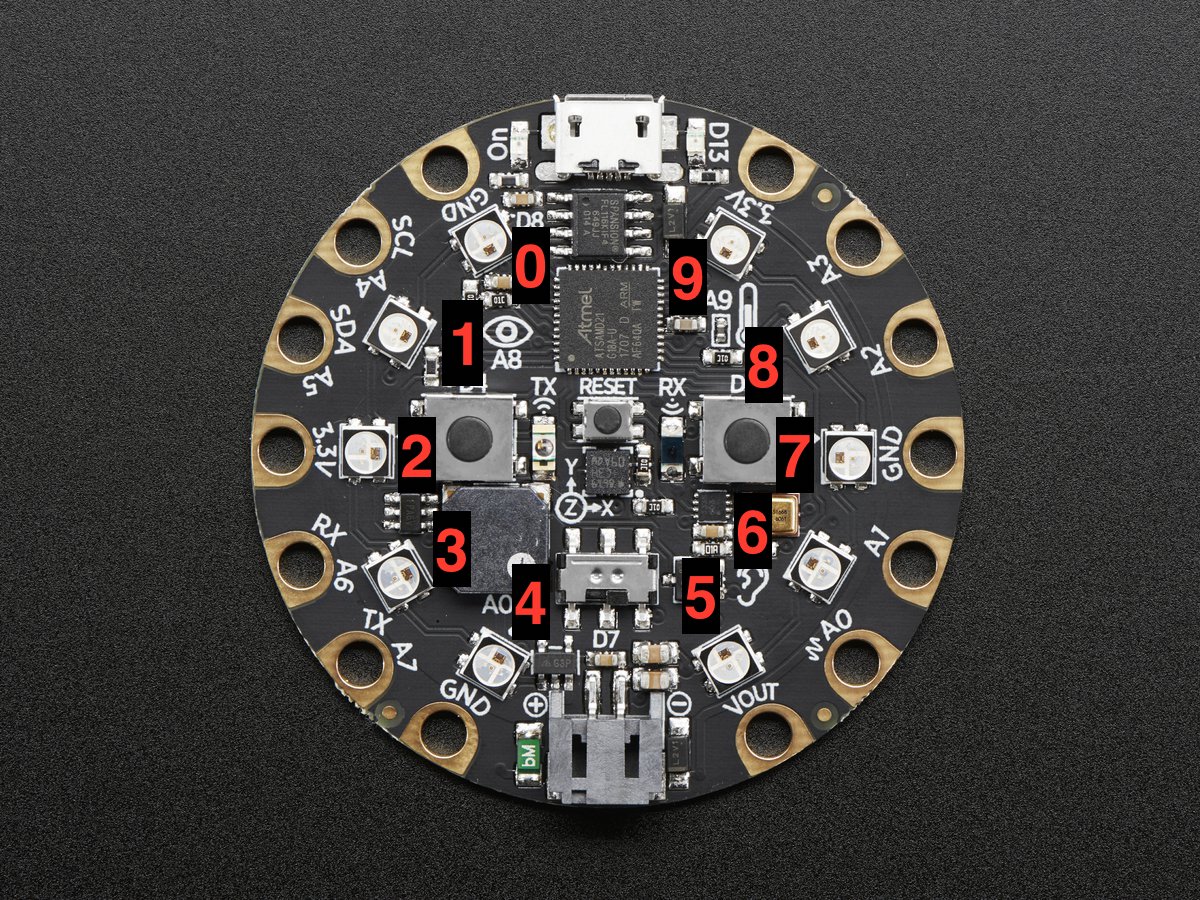
Here is an example that sets the first pixel green and the second red.
from adafruit_circuitplayground.express import cpx

cpx.pixels.brightness = 0.3
cpx.pixels[0] = 0x003000
cpx.pixels[9] = (30, 0, 0)

# Wait forever. CTRL-C to quit.
while True:
    pass
-
play_file(file_name)[source]¶ Play a .wav file using the onboard speaker.
Parameters: file_name – The name of your .wav file in quotation marks including .wav 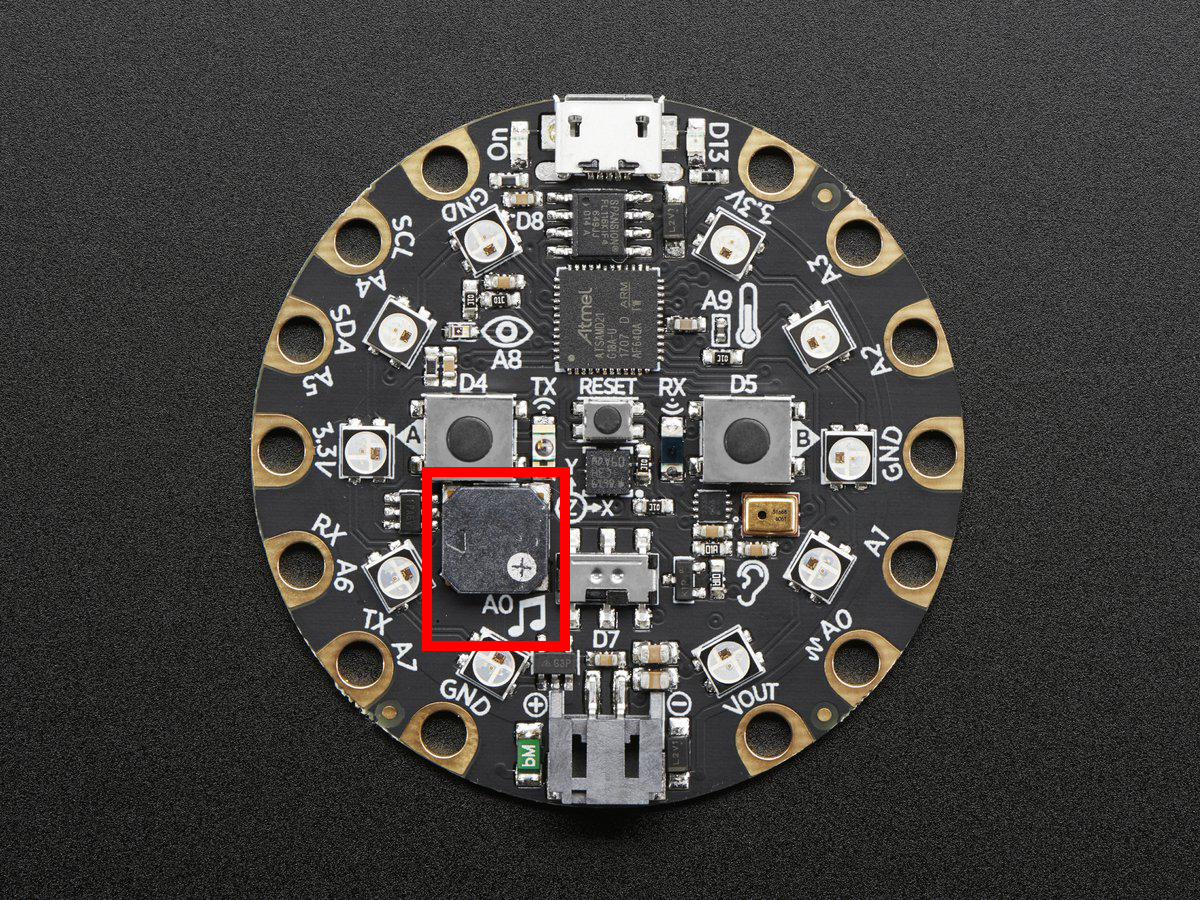
from adafruit_circuitplayground.express import cpx

while True:
    if cpx.button_a:
        cpx.play_file("laugh.wav")
    elif cpx.button_b:
        cpx.play_file("rimshot.wav")
-
play_tone(frequency, duration)[source]¶ Produce a tone using the speaker. Try changing frequency to change the pitch of the tone.
Parameters:
from adafruit_circuitplayground.express import cpx

cpx.play_tone(440, 1)
-
red_led¶ The red led next to the USB plug marked D13.

from adafruit_circuitplayground.express import cpx
import time

while True:
    cpx.red_led = True
    time.sleep(1)
    cpx.red_led = False
    time.sleep(1)
-
shake(shake_threshold=30)[source]¶ Detect when device is shaken.
Parameters: shake_threshold (int) – The threshold shake must exceed to return true (Default: 30)
from adafruit_circuitplayground.express import cpx

while True:
    if cpx.shake():
        print("Shake detected!")
Decreasing
shake_thresholdincreases shake sensitivity, i.e. the code will return a shake detected more easily with a lowershake_threshold. Increasing it causes the opposite.shake_thresholdrequires a minimum value of 10 - 10 is the value when the board is not moving, therefore anything less than 10 will erroneously report a constant shake detected.from adafruit_circuitplayground.express import cpx while True: if cpx.shake(shake_threshold=20): print("Shake detected more easily than before!")
-
start_tone(frequency)[source]¶ Produce a tone using the speaker. Try changing frequency to change the pitch of the tone.
Parameters: frequency (int) – The frequency of the tone in Hz
from adafruit_circuitplayground.express import cpx

while True:
    if cpx.button_a:
        cpx.start_tone(262)
    elif cpx.button_b:
        cpx.start_tone(294)
    else:
        cpx.stop_tone()
-
stop_tone()[source]¶ Use with start_tone to stop the tone produced.
from adafruit_circuitplayground.express import cpx

while True:
    if cpx.button_a:
        cpx.start_tone(262)
    elif cpx.button_b:
        cpx.start_tone(294)
    else:
        cpx.stop_tone()
-
switch¶ Truewhen the switch is to the left next to the music notes.Falsewhen it is to the right towards the ear.
from adafruit_circuitplayground.express import cpx
import time

while True:
    print("Slide switch:", cpx.switch)
    time.sleep(1)
-
tapped¶ True once after a detecting a tap. Requires
cpx.detect_taps.
Tap the CPX once for a single-tap, or quickly tap twice for a double-tap.
from adafruit_circuitplayground.express import cpx

cpx.detect_taps = 1

while True:
    if cpx.tapped:
        print("Single tap detected!")
To use single and double tap together, you must have a delay between them. It will not function properly without it. This example uses both by counting a specified number of each type of tap before moving on in the code.
from adafruit_circuitplayground.express import cpx

# Set to check for single-taps.
cpx.detect_taps = 1
tap_count = 0

# We're looking for 2 single-taps before moving on.
while tap_count < 2:
    if cpx.tapped:
        tap_count += 1
print("Reached 2 single-taps!")

# Now switch to checking for double-taps
tap_count = 0
cpx.detect_taps = 2

# We're looking for 2 double-taps before moving on.
while tap_count < 2:
    if cpx.tapped:
       tap_count += 1
print("Reached 2 double-taps!")
print("Done.")
-
temperature¶ The temperature of the CircuitPlayground in Celsius.

Converting this to Farenheit is easy!
from adafruit_circuitplayground.express import cpx
import time

while True:
    temperature_c = cpx.temperature
    temperature_f = temperature_c * 1.8 + 32
    print("Temperature celsius:", temperature_c)
    print("Temperature fahrenheit:", temperature_f)
    time.sleep(1)
-
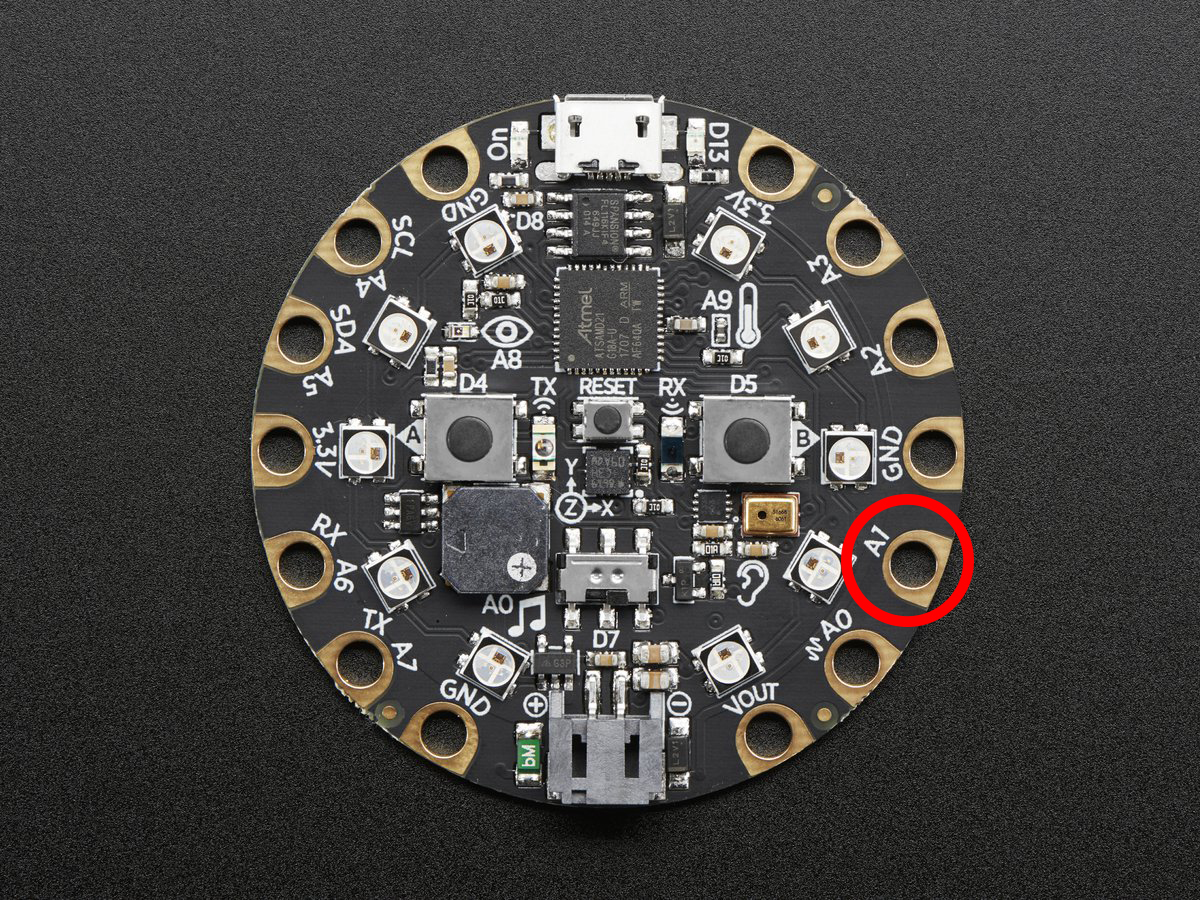
touch_A1¶ Detect touch on capacitive touch pad A1.
from adafruit_circuitplayground.express import cpx

while True:
    if cpx.touch_A1:
        print('Touched pad A1')
-
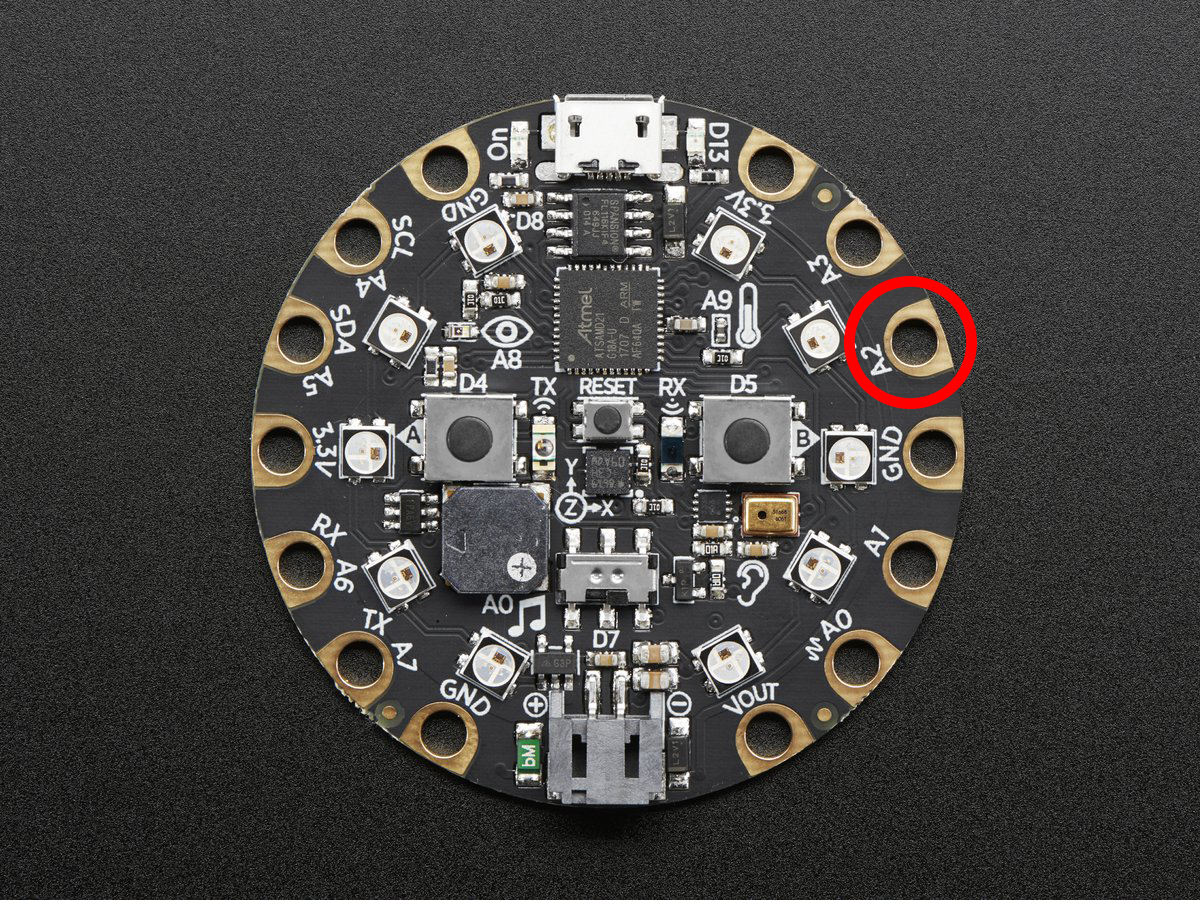
touch_A2¶ Detect touch on capacitive touch pad A2.
from adafruit_circuitplayground.express import cpx

while True:
    if cpx.touch_A2:
        print('Touched pad A2')
-
touch_A3¶ Detect touch on capacitive touch pad A3.
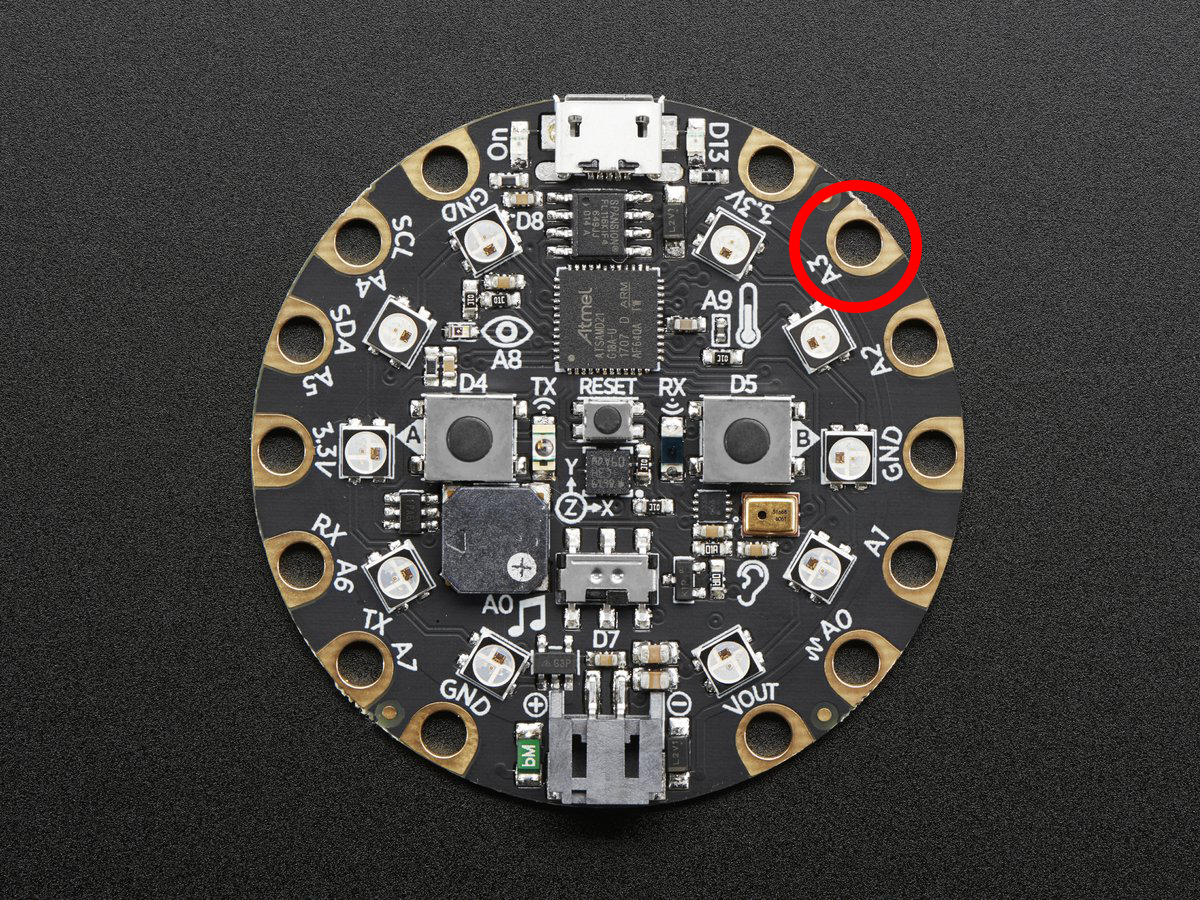
from adafruit_circuitplayground.express import cpx

while True:
    if cpx.touch_A3:
        print('Touched pad A3')
-
touch_A4¶ Detect touch on capacitive touch pad A4.
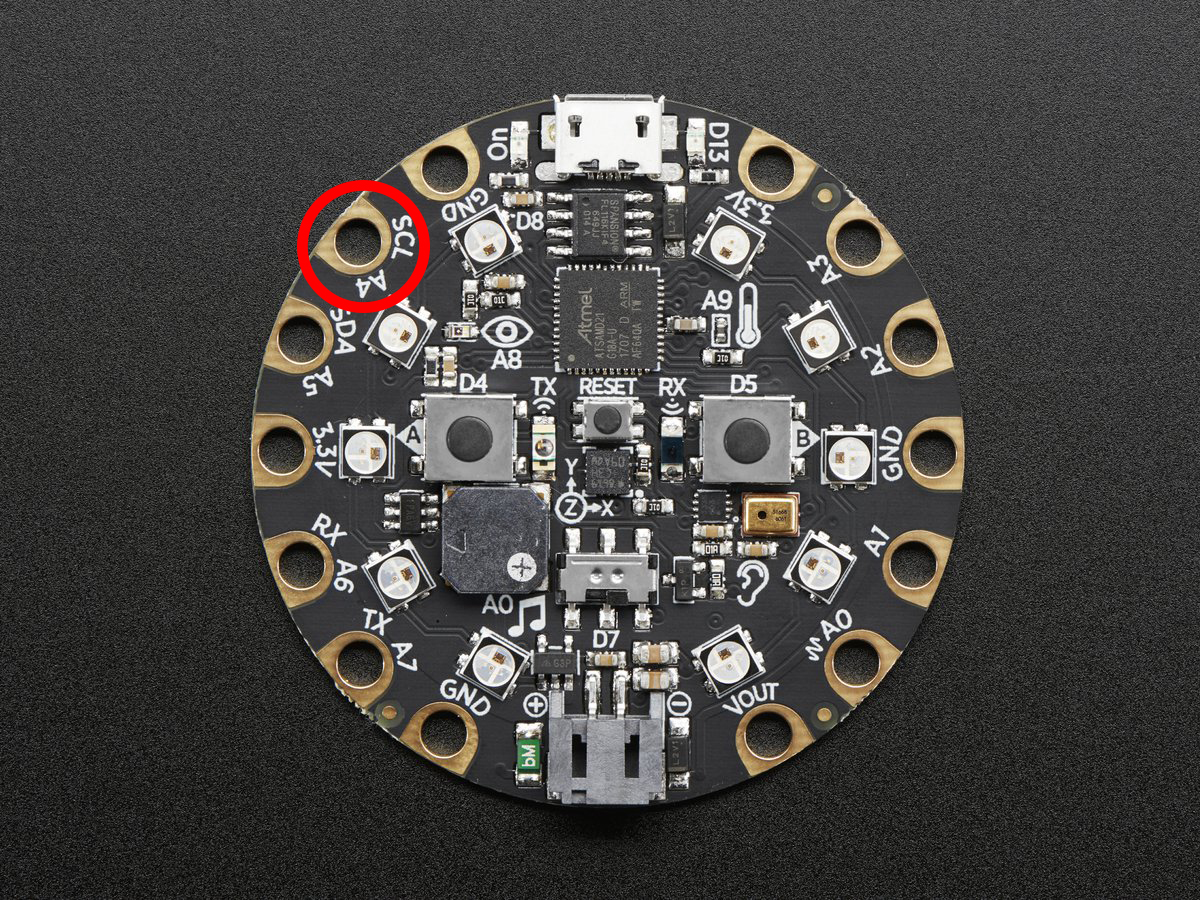
from adafruit_circuitplayground.express import cpx

while True:
    if cpx.touch_A4:
        print('Touched pad A4')
-
touch_A5¶ Detect touch on capacitive touch pad A5.
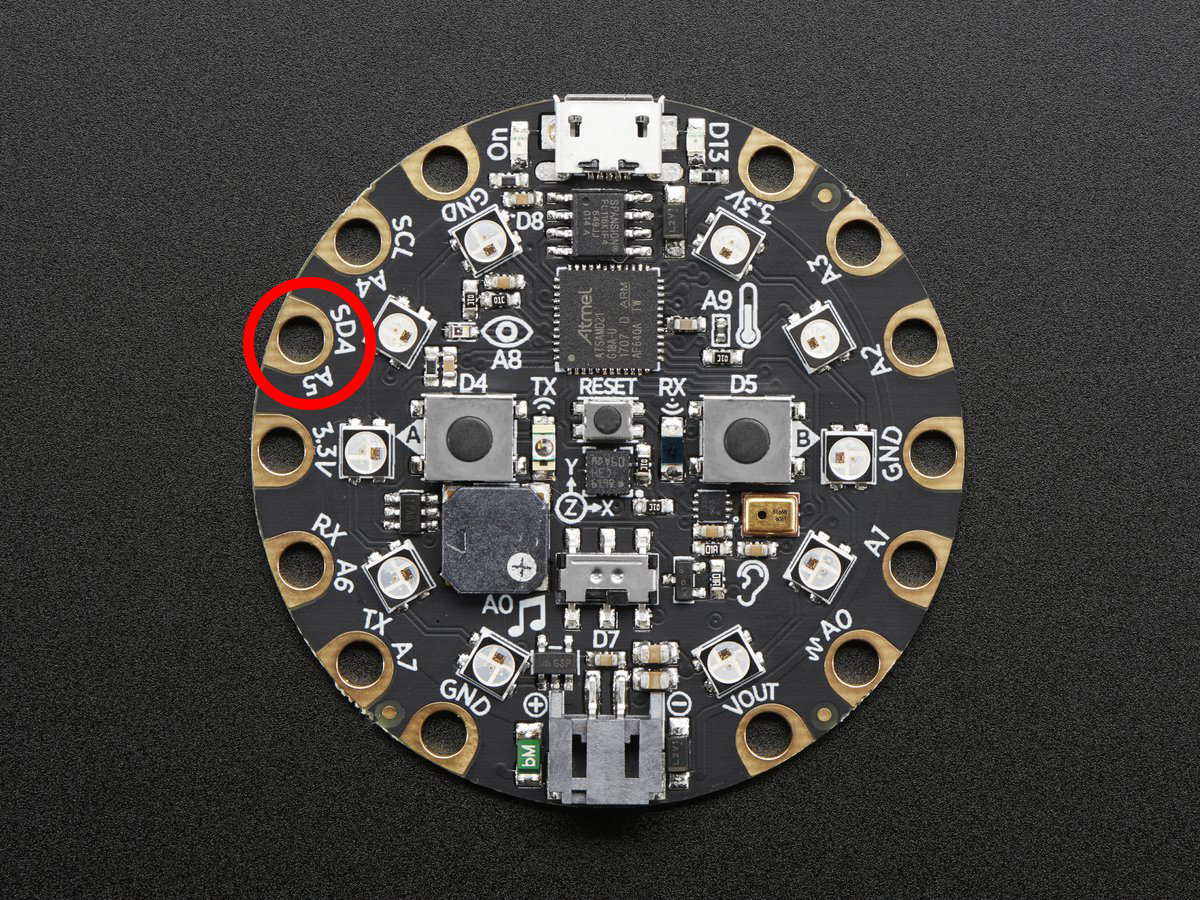
from adafruit_circuitplayground.express import cpx

while True:
    if cpx.touch_A5:
        print('Touched pad A5')
-
touch_A6¶ Detect touch on capacitive touch pad A6.
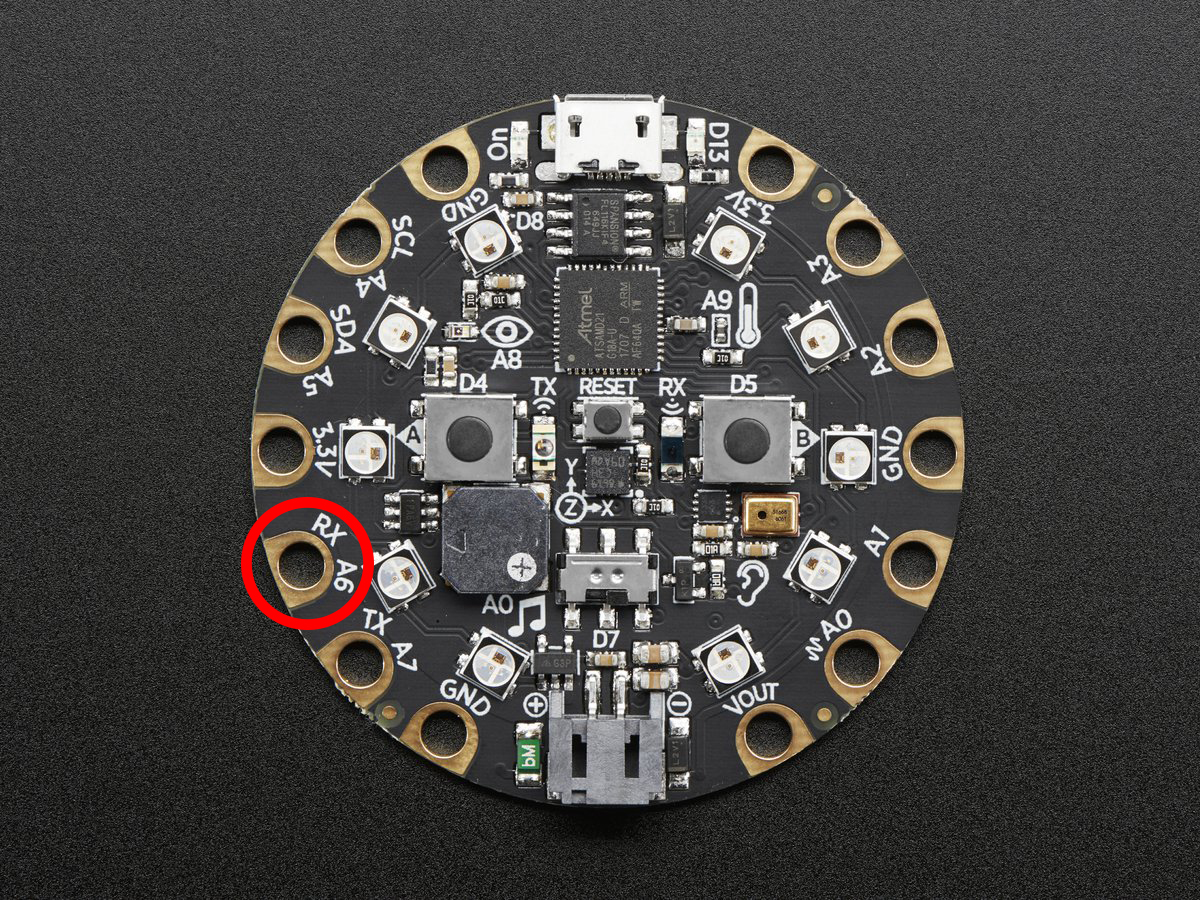
from adafruit_circuitplayground.express import cpx

while True:
    if cpx.touch_A6:
        print('Touched pad A6')
-
touch_A7¶ Detect touch on capacitive touch pad A7.
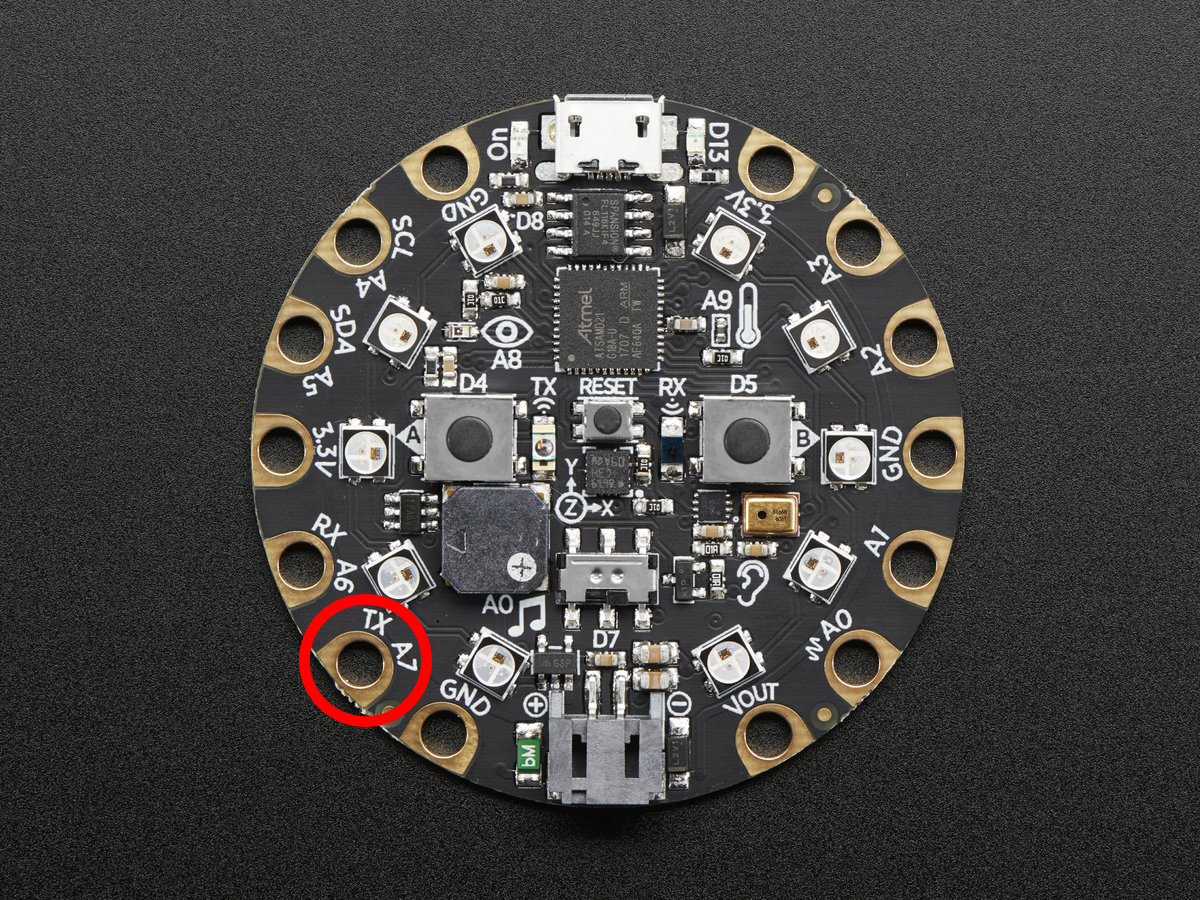
from adafruit_circuitplayground.express import cpx

while True:
    if cpx.touch_A7:
        print('Touched pad A7')
-
-
class
adafruit_circuitplayground.express.Photocell(pin)[source]¶ Simple driver for analog photocell on the CircuitPlayground Express.
-
light¶ Light level in SI Lux.
-
-
adafruit_circuitplayground.express.cpx= <adafruit_circuitplayground.express.Express object>¶ Object that is automatically created on import.
To use, simply import it from the module:
from adafruit_circuitplayground.express import cpx